# Hyvä UI - gallery.B - Fancy
[![License]](../../../LICENSE.md)
[![Hyva Supported Versions]](https://docs.hyva.io/hyva-ui-library/getting-started.html)
[![Tailwind Supported Versions]](https://tailwindcss.com/)
[![AlpineJS Supported Versions]](https://alpinejs.dev/)
[![Figma]](https://www.figma.com/@hyva)
Transform the Hyvä Product Gallery into something new with this UI Component,
that adds a lot of customization options,
so this UI Component can match your preferred look and feel with only a few teaks.
## Usage - Template
1. Copy or merge the following files/folders into your theme:
* `Magento_Catalog/templates/product/view/gallery.phtml`
* `web/tailwind/utilities/mask-overflow.css`
2. Make sure to import the `mask-overflow.css` in your `tailwind-source.css` file
3. Adjust the content and code to fit your own needs and save
4. Create your development or production bundle by running `npm run watch` or `npm run build` in your
theme's tailwind directory
### Configuration Options
This UI component offers customization options without modifying the corresponding phtml files.
To configure this UI Component,
utilize the provided options below, with the default value set:
```xml
thumbs
false
false
true
horizontal
false
false
false
true
true
false
80
true
click
```
To add any of these options, ensure that you only edit the section in your `etc/view.xml` under gallery:
```xml
```
## Preview
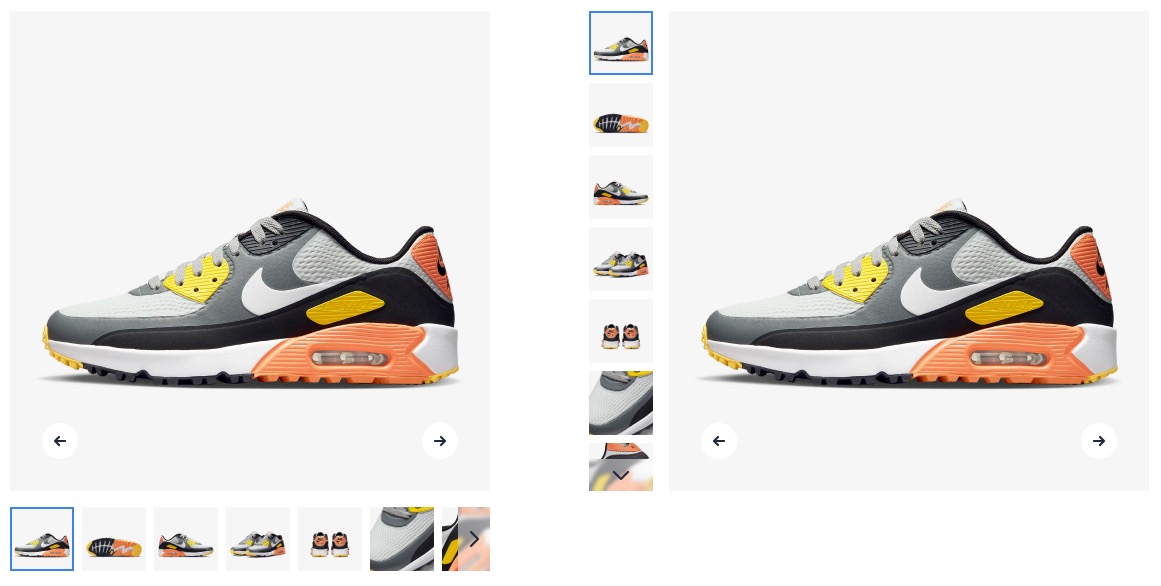
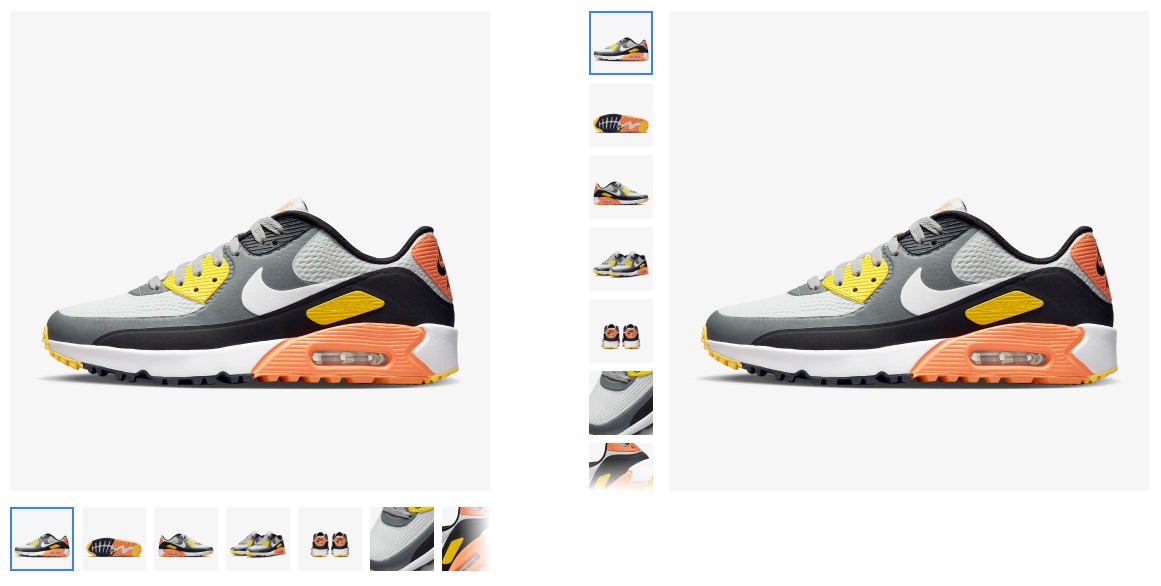
## Notes
This UI Component is related to the gallery found in the Hyvä default theme as of version 1.3,
and it also works in versions equal and newer than 1.2.6 if you update the wrapping div with the following classes:
```html
class="order-1 w-full md:w-5/12 lg:w-1/2 md:h-auto"
```
instead of:
```html
class="w-full pt-6 md:pt-0 md:h-auto md:row-start-1 md:row-span-2 md:col-start-1"
```
---
This Gallery incorporates the modern aspect-ratio CSS property, ensuring seamless compatibility with older browsers without any functional issues. The only trade-off for older browser support is the loss of the attractive placeholder behavior in the dialog open state.
If you desire to retain this behavior for older browsers, please ensure you update your CSS using the [TailwindCSS plugin Aspect-ratio](https://github.com/tailwindlabs/tailwindcss-aspect-ratio) and adjust your HTML accordingly with the provided utility classes.
## License
Hyvä Themes - https://hyva.io
Copyright © Hyvä Themes B.V 2020-present. All rights reserved.
This product is licensed per Magento install. Please see the LICENSE.md file in the root of this repository for more
information.
[License]: https://img.shields.io/badge/License-004d32?style=for-the-badge "Link to Hyvä License"
[Figma]: https://img.shields.io/badge/Figma-gray?style=for-the-badge&logo=Figma "Link to Figma"
[Hyva Supported Versions]: https://img.shields.io/badge/Hyv%C3%A4-1.3.11,_1.4-0A23B9?style=for-the-badge&labelColor=0A144B "Hyvä Supported Versions"
[Tailwind Supported Versions]: https://img.shields.io/badge/Tailwind-3-06B6D4?style=for-the-badge&logo=TailwindCSS "Tailwind Supported Versions"
[AlpineJS Supported Versions]: https://img.shields.io/badge/AlpineJS-3-8BC0D0?style=for-the-badge&logo=alpine.js "AlpineJS Supported Versions"